WebP vs PNG vs JPG: Image Format Comparison | FreeFast Blog
Image Conversion
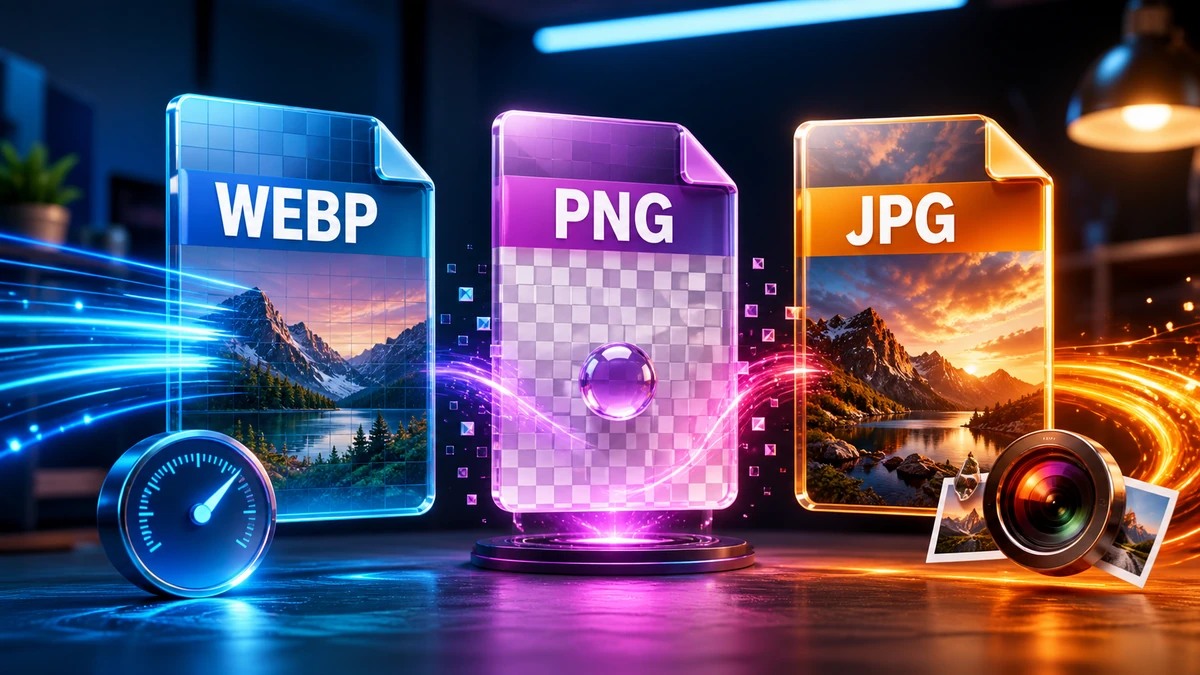
WebP vs PNG vs JPG: Image Format Comparison
FF
FreeFast Team
10 min read
You're saving an image and wondering: should this be a JPG? PNG? Or that newer WebP format everyone keeps mentioning?
This isn't just an academic question. Choose wrong, and your website loads slowly, your files eat up storage, or your images look terrible. Choose right, and you get the reliable balance of quality and file size.
This guide gives you a definitive answer for every situation.
The Quick Answer
Just need a quick decision?
Photograph or realistic image? → WebP (or JPG for older browsers)
Logo, icon, or graphic? → PNG (or SVG if scalable needed)
Need transparency? → PNG or WebP
Maximum website performance? → WebP
broad compatibility? → JPG
Now let's understand why.
JPG (JPEG): The Photography Standard
Best for: Photographs, complex images with millions of colors
How JPG Works
JPG uses lossy compression—it permanently removes data to achieve smaller files. It exploits how human vision works, removing details we're less likely to notice.
✅ Small file sizes for photos (90%+ reduction typical)
✅ Universal support—works everywhere
✅ Adjustable quality (high to low)
✅ Great for photographs with gradients and complex colors
JPG Weaknesses
❌ No transparency support
❌ Lossy compression degrades quality
❌ Artifacts on text and edges (visible blockiness)
❌ Quality degrades with each save
When to Use JPG
Situation
Use JPG?
Photograph
✅ Yes
Product photo
✅ Yes
Social media image
✅ Yes
Logo
❌ No
Screenshot with text
❌ No
Needs transparency
❌ No
"Pro tip: JPG at 80-85% quality is the sweet spot. Higher quality adds file size with minimal visible improvement. Lower quality shows visible artifacts."
PNG: The Lossless Champion
Best for: Graphics, logos, screenshots, anything needing transparency
How PNG Works
PNG uses lossless compression—it reduces file size without losing any image data. Every pixel stays exactly as you created it.
PNG Strengths
✅ Lossless quality—no degradation ever
✅ Full transparency support (including partial transparency)
✅ reliable for text and sharp edges
✅ No artifacts on solid colors
✅ Edit and save repeatedly with quality checks
PNG Weaknesses
❌ Large file sizes for photographs (5-10× larger than JPG)
❌ Overkill for photos where lossy compression is fine
❌ No animation (standard PNG; APNG exists but limited)
PNG Variants
Type
Colors
Best For
PNG-8
256 colors
Simple graphics, tiny files
PNG-24
16 million colors
Full-color graphics
PNG-32
16 million + alpha
Transparency with full color
When to Use PNG
Situation
Use PNG?
Logo
✅ Yes
Icon
✅ Yes
Screenshot with text
✅ Yes
Needs transparency
✅ Yes
Photograph
❌ No (files too large)
Website hero image
❌ No (use WebP or JPG)
WebP: The Modern Standard
Best for: Everything on the web—both photos and graphics
How WebP Works
Developed by Google, WebP offers both lossy and lossless compression with better algorithms than JPG and PNG.
WebP Strengths
✅ 25-35% smaller than JPG at same visual quality
✅ 26% smaller than PNG for lossless
✅ Supports transparency (like PNG)
✅ Supports animation (like GIF, but much smaller)
✅ One format for everything web-related
WebP Weaknesses
❌ Old browsers don't support it (IE11, very old Safari)
❌ Not ideal for print workflows
❌ Some image editors don't natively support it
Browser Support (2024)
Browser
WebP Support
Chrome
✅ Full
Firefox
✅ Full
Safari
✅ Full (14+)
Edge
✅ Full
IE11
❌ None
Bottom line: 97%+ of web users can view WebP today.
When to Use WebP
Situation
Use WebP?
Website images
✅ Yes (with fallback)
Web app
✅ Yes
Photo sharing online
✅ Yes
Email attachment
⚠️ Maybe (check recipient)
Print
❌ No
broad compatibility needed
❌ No (use JPG/PNG)
"Pro tip: For websites, use WebP as primary format with JPG/PNG fallback. You get smaller files for 97% of visitors while still supporting everyone."
AVIF offers even better compression than WebP but has more limited support (about 90% of browsers in 2024). Watch for it to become more common.
Frequently Asked Questions
Which format is best for quality?
PNG offers reliable lossless quality. For lossy: WebP at the same visual quality produces smaller files than JPG.
Which format gives smallest file size?
WebP for photos, WebP or AVIF for general use, PNG-8 for simple graphics with few colors.
Should I convert all my images to WebP?
For new websites: Yes, with JPG/PNG fallback.
For existing sites: Weigh the conversion effort against benefits.
For non-web use: Check that recipients can open WebP.
Can I convert WebP back to JPG?
Yes, but you won't regain quality lost in compression. You'll just have a larger file with the same (or worse) quality.
Is PNG or WebP better for logos?
SVG is best (infinitely scalable)
PNG for raster logos (reliable quality)
WebP lossless for smaller files if compatibility allows
Do I need to support browsers that don't support WebP?
IE11 is essentially dead (<0.5% of users). Very old Safari may be a factor depending on your audience. The <picture> element provides fallback for these cases.
Conclusion
The format choice depends on your content and use case:
Quick Summary:
JPG → Photos when compatibility matters most
PNG → Graphics, transparency, screenshots
WebP → Modern websites (best of both worlds)
Decision Tree:
Is it for the web? → Use WebP with fallback
Need transparency? → PNG or WebP
Is it a photograph? → WebP or JPG
Is it a graphic/logo? → PNG or SVG
Need broad compatibility? → JPG for photos, PNG for graphics
PNG to JPG: When to Convert (and When You Shouldn't)
PNG to JPG can shrink an image by 70% or more — but only for the right files. Here's exactly when to convert, when to keep your PNG, and how to do it without losing quality.