MP3 vs WAV vs AAC: Choose the Right Audio Format
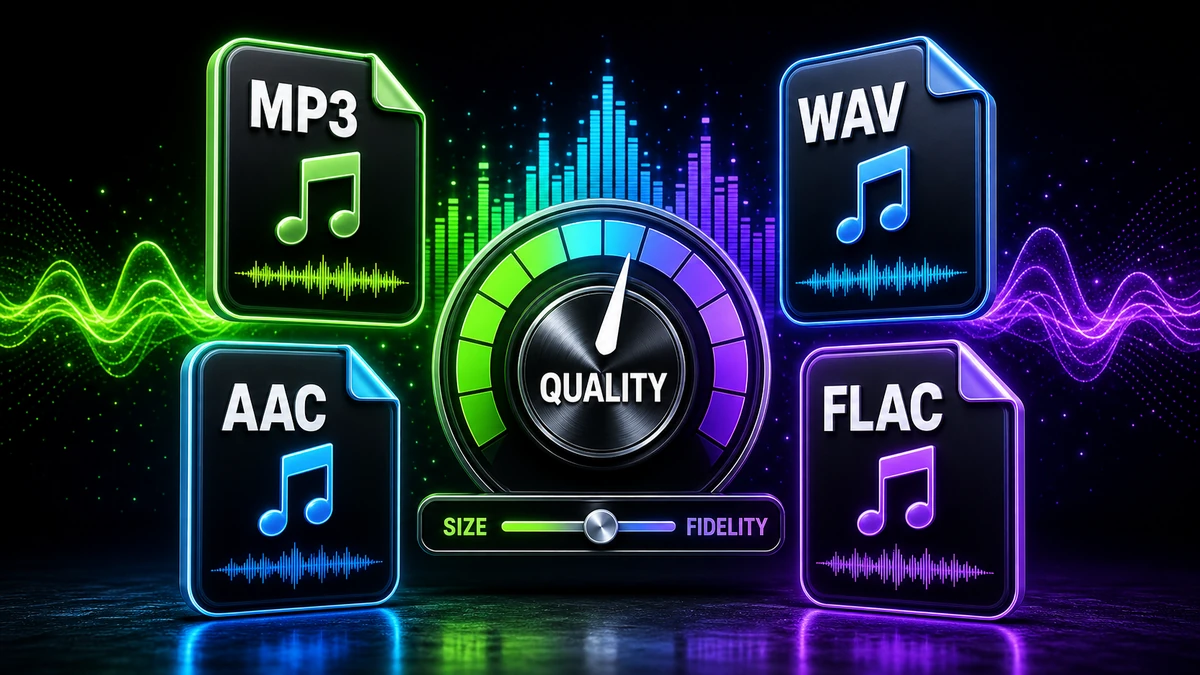
You're staring at three audio files of the same song: one is an MP3, another is WAV, and the third is AAC. They sound almost identical when you play them, but one is 60 MB while another is just 6 MB. Which should you keep? Which should you use for your podcast? Which is best for your music library?
Audio format confusion causes real problems: wasted storage space, compatibility headaches, and unnecessarily degraded sound quality. This guide cuts through the technical jargon and gives you a clear, practical understanding of the three most important audio formats.
Whether you're a podcaster optimizing file sizes, a musician archiving recordings, or simply someone trying to free up phone storage, you'll learn exactly which format to use and when.
Understanding Audio Formats: Lossy vs Lossless
Before comparing specific formats, you need to understand the fundamental difference between lossy and lossless compression.
Lossless Compression
Lossless formats preserve every single bit of the original audio data. When you decompress a lossless file, you get identical audio to the source.
Think of it like: A ZIP file for audio — compresses data but can restore it clearly.
Example: WAV, FLAC, ALAC (Apple Lossless)
Trade-off: Maximum quality, but much larger file sizes
Lossy Compression
Lossy formats permanently delete audio data that humans supposedly can't hear well. Once removed, this data cannot be recovered.
Think of it like: A JPEG image — smaller file, but some quality is sacrificed
Examples: MP3, AAC, OGG Vorbis
Trade-off: Much smaller files, but some (often imperceptible) quality loss
The Key Question: Can you hear the difference? At high bitrates (256-320 kbps), most people cannot distinguish lossy from lossless in blind tests.
The Big Three: MP3, WAV, AAC Deep Comparison
| Feature | MP3 | WAV | AAC |
|---|---|---|---|
| Full Name | MPEG-1 Audio Layer 3 | Waveform Audio File Format | Advanced Audio Coding |
| Type | Lossy | Lossless (uncompressed) | Lossy |
| File Size | Small (1-2 MB per minute) | Huge (~10 MB per minute) | Smallest (0.9-1.8 MB per minute) |
| Quality | Good at high bitrates | reliable (uncompressed) | Excellent (better than MP3) |
| Compatibility | Universal | Professional software | Apple devices, modern apps |
| Streaming | Supported everywhere | Too large for streaming | Used by Apple Music, YouTube |
| Metadata Support | Excellent (ID3 tags) | Limited | Excellent (iTunes tags) |
| Best Use Case | Universal sharing, websites | Recording, editing, archiving | Apple ecosystem, streaming |
| Inventor | Fraunhofer Institute (1993) | Microsoft and IBM (1991) | MPEG group (1997) |
| Patent Status | Patents expired (free to use) | No patents | Some patent licensing |
1. WAV (Waveform Audio File Format)
What is WAV?
WAV is Microsoft and IBM's uncompressed audio standard. It's the raw format that stores audio exactly as recorded, with no compression or quality loss.
Technical Specifications
- Bit Depth: Typically 16-bit or 24-bit (higher = more dynamic range)
- Sample Rate: 44.1 kHz (CD quality) or 48 kHz (professional)
- Channels: Mono or Stereo
- Compression: None (uncompressed PCM audio)
- File Extension: .wav
Advantages
✅ reliable Quality: Bit-for-bit identical to the original recording
✅ No Generational Loss: Edit and save repeatedly without degradation
✅ Professional Standard: Industry standard for recording and production
✅ Universal Editing Support: Works in all DAWs (Digital Audio Workstations)
✅ No Patents: Completely free to use
Disadvantages
❌ Massive File Sizes: 10 MB per minute of stereo audio at CD quality
❌ Impractical for Streaming: Too large to stream efficiently
❌ Limited Metadata: Basic tag support compared to MP3 or AAC
❌ Storage Intensive: A 10-song album can exceed 500 MB
Real-World File Size Example
3-minute song in WAV (44.1kHz, 16-bit stereo):
- File Size: ~31.5 MB
- Data Rate: 1411 kbps
60-minute podcast in WAV:
- File Size: ~630 MB
- Impractical for email or web distribution
When to Use WAV
✅ Recording music or audio
✅ Editing in a DAW (Audacity, Logic Pro, Pro Tools)
✅ Archiving master copies
✅ Professional audio production
✅ Sound design and sampling
Golden Rule: Always keep WAV as your master. Convert to MP3 or AAC for distribution only.
2. MP3 (MPEG-1 Audio Layer III)
What is MP3?
MP3 revolutionized digital music by compressing audio to roughly one-tenth the size of WAV while maintaining acceptable quality. It uses psychoacoustic principles to remove sounds humans supposedly can't hear.
Technical Specifications
- Bitrate Range: 32-320 kbps (variable or constant)
- Compression Ratio: 10:1 to 12:1 (compared to WAV)
- Sample Rate: Up to 48 kHz
- Channels: Mono, Stereo, Joint Stereo
- File Extension: .mp3
How MP3 Compression Works
MP3 removes audio data based on:
- Frequency Masking: Loud sounds mask nearby quiet sounds
- Temporal Masking: Sounds before or after loud events are less audible
- High-Frequency Reduction: Humans hear high frequencies less well
Advantages
✅ Universal Compatibility: Plays on literally everything since 1995
✅ Small File Sizes: 90 percent smaller than WAV at high quality
✅ Rich Metadata: ID3 tags support album art, lyrics, etc.
✅ No Licensing Fees: Patents expired in 2017 (free to use)
✅ Streaming-Friendly: Small enough for efficient web delivery
Disadvantages
❌ Quality Loss: Not as efficient as AAC; audible at low bitrates
❌ Generational Degradation: Re-encoding MP3s compounds quality loss
❌ Outdated Technology: AAC provides better quality at same file size
❌ High-Frequency Rolloff: Can sound dull compared to AAC or WAV
Real-World File Size Example
3-minute song in MP3:
- 128 kbps: ~2.9 MB (acceptable for speech, poor for music)
- 192 kbps: ~4.3 MB (good balance for music)
- 320 kbps: ~7.2 MB (maximum quality, near-transparent)
Comparison:
- WAV (31.5 MB) to MP3 320kbps (7.2 MB) = 77 percent reduction
When to Use MP3
✅ Sharing music files universally
✅ Uploading to websites or blogs
✅ Older device compatibility (car stereos, MP3 players)
✅ Podcast distribution (128-192 kbps)
✅ DJ sets and mixes
Best Bitrate: 320 kbps for music, 128-192 kbps for podcasts or voice
3. AAC (Advanced Audio Coding)
What is AAC?
AAC is MP3's successor, developed to provide better sound quality at the same file size. It's the format behind Apple Music, YouTube, and most modern streaming services.
Technical Specifications
- Bitrate Range: 8-529 kbps
- Compression Efficiency: ~30 percent better than MP3
- Sample Rate: Up to 96 kHz
- Channels: Up to 48 audio channels
- File Extensions: .aac, .m4a (MPEG-4 container)
Advantages
✅ Superior Quality: Better than MP3 at identical bitrates
✅ More Efficient: 256 kbps AAC is roughly equal to 320 kbps MP3 quality
✅ Modern Standard: Used by streaming services globally
✅ Advanced Features: Supports surround sound, higher sample rates
✅ Smaller Files: Better compression means less storage needed
Disadvantages
❌ Compatibility Issues: Not supported by all older devices
❌ Patent Licensing: Still requires royalties (unlike MP3)
❌ Confusion: Multiple file extensions (.aac, .m4a, .mp4)
❌ Less Universal: Some car stereos and older hardware won't play it
Real-World File Size Example
3-minute song in AAC:
- 128 kbps: ~2.9 MB (sounds better than 128 kbps MP3)
- 256 kbps: ~5.8 MB (Apple Music standard, near-transparent)
Efficiency Comparison:
- 256 kbps AAC (5.8 MB) sounds similar to 320 kbps MP3 (7.2 MB)
- 19 percent smaller for equivalent perceived quality
When to Use AAC
✅ Apple ecosystem (iPhone, iPad, Mac, iTunes)
✅ Streaming services (YouTube, Apple Music)
✅ High-quality mobile listening
✅ Video soundtracks (M4A or MP4)
✅ When you need efficiency and quality
Best Bitrate: 256 kbps (Apple Music standard)
File Size Comparison: Real Numbers
| Content | WAV | MP3 (320k) | AAC (256k) |
|---|---|---|---|
| 3-min song | 31.5 MB | 7.2 MB | 5.8 MB |
| 10-song album | 315 MB | 72 MB | 58 MB |
| 60-min podcast | 630 MB | 144 MB | 115 MB |
| 1000-song library | ~10.5 GB | ~2.4 GB | ~1.9 GB |
Conclusion: AAC provides the best storage efficiency for high-quality audio.
Quality Testing: Can You Hear the Difference?
The Blind Test Reality
Multiple scientific studies show that:
- 320 kbps MP3: 95 percent of listeners can't distinguish from WAV
- 256 kbps AAC: 98 percent of listeners can't distinguish from WAV
- 192 kbps MP3: Most people notice slight differences
- 128 kbps MP3: Clear quality degradation for music
When Quality Loss Becomes Audible
High-frequency detail is lost first:
- Cymbals sound swishy or underwater
- Hi-hats lose sharpness
- Stereo imaging narrows
At what bitrate? For MP3, below 192 kbps for music. For AAC, below 160 kbps.
Golden Rule: If you can't hear the difference in a blind test with good headphones, the quality is sufficient.
Platform and Device Compatibility
| Platform or Device | MP3 | WAV | AAC |
|---|---|---|---|
| iPhone or iPad | ✅ | ✅ | ✅ (Native) |
| Android | ✅ | ✅ | ✅ (Most devices) |
| Windows PC | ✅ | ✅ | ⚠️ Requires iTunes or VLC |
| Mac | ✅ | ✅ | ✅ (Native) |
| Car Stereo (USB) | ✅ | ⚠️ Rare | ❌ Often not supported |
| Spotify | ❌ Converts | ❌ Converts | ✅ Uploads as AAC |
| YouTube | ✅ Converts | ✅ Converts | ✅ Preferred format |
| Podcasting Platforms | ✅ Standard | ❌ Too large | ⚠️ Some support |
Winner for Compatibility: MP3 (still the most universal)
Conversion Best Practices
WAV to MP3 or AAC
For Music:
- Convert to 320 kbps MP3 or 256 kbps AAC
- Always keep the original WAV as a master
For Podcasts:
- Convert to 128 kbps MP3 (mono if single voice)
- Or 96 kbps AAC for better quality at smaller size
Never do this: WAV to MP3 to AAC (compounding quality loss)
MP3 to AAC (or vice versa)
Avoid if possible. You're converting from one lossy format to another, which degrades quality further.
If you must: Use the highest quality source and convert at maximum bitrate.
Frequently Asked Questions
Q: Which format has the best quality?
A: WAV (lossless). For lossy formats, AAC provides better quality than MP3 at the same bitrate.
Q: Why use MP3 instead of AAC if AAC is better?
A: Compatibility. MP3 works on every device ever made. AAC doesn't work on some older car stereos and MP3 players.
Q: Can I convert MP3 to WAV to improve quality?
A: No. Converting MP3 to WAV just creates a larger file. The lost audio data cannot be recovered.
Q: What bitrate should I use for music?
A: 320 kbps for MP3, or 256 kbps for AAC. These are essentially transparent to most listeners.
Q: What bitrate should I use for podcasts?
A: 128 kbps MP3 or 96 kbps AAC. Voice doesn't require as much fidelity as music.
Q: Do streaming services use MP3, WAV, or AAC?
A: Most use AAC (Spotify, Apple Music, YouTube) or OGG Vorbis (Spotify also uses this). None use WAV due to file size.
Q: Which format is best for iPhone?
A: AAC (.m4a). It's Apple's native format and provides the best quality-to-size ratio.
Q: Should I delete my MP3s and re-download in AAC?
A: Only if storage is extremely limited. The difference is subtle, and re-downloading might not be worth the time unless you're an audiophile with high-end equipment.
Decision Guide: Which Format Should You Use?
Use WAV When:
- Recording music or audio
- Editing in a DAW (Digital Audio Workstation)
- Archiving master copies
- Professional audio production
- You need reliable, uncompressed quality
Use MP3 When:
- Sharing audio files publicly
- Maximum device compatibility is critical
- Uploading to websites or blogs
- Emailing audio files
- Your car stereo only supports MP3
- Creating DJ mixes or sets
Use AAC When:
- Listening on iPhone, iPad, or Mac
- Streaming or uploading to YouTube
- You want the best quality-to-size ratio
- Building a mobile music library
- Compatibility with modern devices is sufficient
The Bottom Line: Which One is Best?
There is no single best format. The right choice depends on your use case:
Best Quality? WAV (lossless, uncompressed)
Best Compatibility? MP3 (universal support)
Best Efficiency? AAC (highest quality per MB)
Best for Podcasters? MP3 at 128 kbps (compatibility plus reasonable size)
Best for Musicians? WAV for archiving, 320 kbps MP3 or 256 kbps AAC for distribution
Best for iPhone Users? AAC (native support, best quality)
Quick Decision Chart:
- Recording studio work use WAV
- Personal music library (iPhone) use AAC 256 kbps
- Personal music library (Android or PC) use MP3 320 kbps
- Podcast distribution use MP3 128 kbps
- Sharing voice memos use AAC 96 kbps or MP3 128 kbps
- DJ sets or mixes use MP3 320 kbps
Need to convert between formats? Use our free audio converter to switch between WAV, MP3, and AAC instantly while preserving maximum quality.
For more audio guides, check out WAV to MP3 conversion and M4A to MP3 guide.
Pro tip: Keep your original recordings in WAV format as masters. Only convert to MP3 or AAC for distribution and sharing. This preserves the highest quality for future use and prevents generational quality loss.
Related Topics
On This Page
Share Article
Try FreeFast Converter
Start with free daily conversions, then choose a plan if you need higher limits.
Open WAV to MP3Related converters
Stay Updated
Get the latest tips delivered to your inbox.