Why WebP Helps Modern Website Images | FreeFast Blog
Image Conversion
Why WebP Helps Modern Website Images
FF
FreeFast Team
6 min read
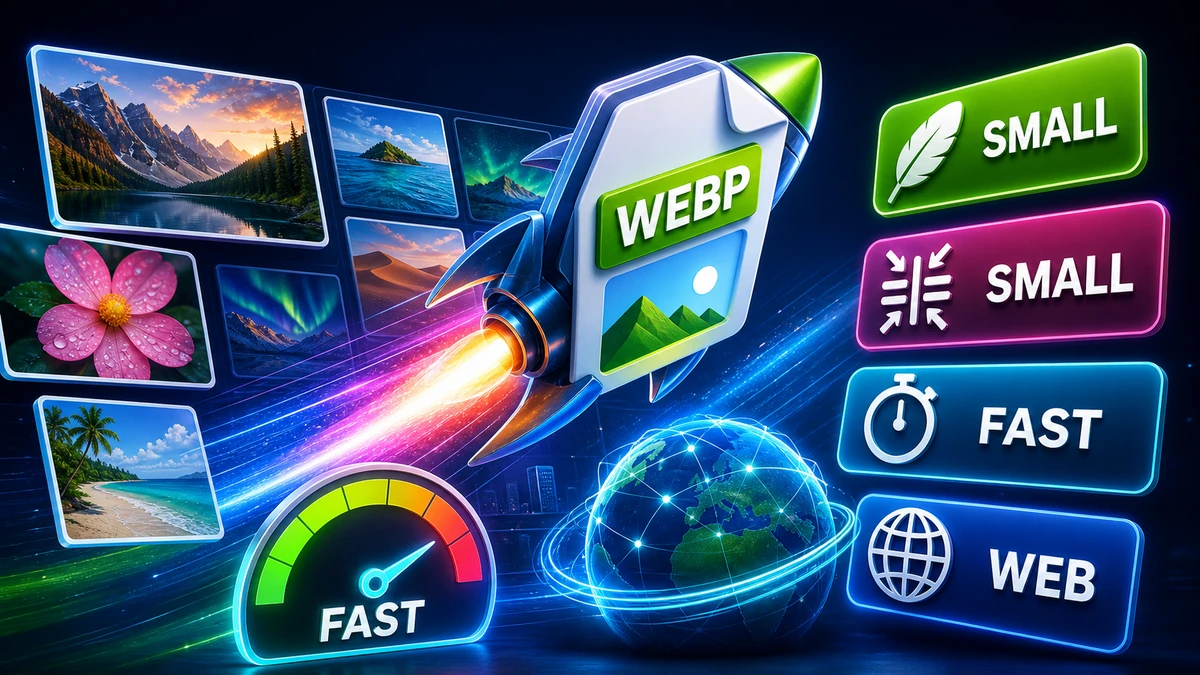
Remember when you had to wait forever for a website to load because of huge images? Those days are ending, and WebP is the reason why. This modern image format is quietly revolutionizing how we use images on the web, and if you're not using it yet, you're missing out on faster load times, better SEO, and happier visitors.
In this guide, we'll break down everything you need to know about WebP—what it is, why it matters, and how you can start using it today to make your website lightning-fast.
What is WebP? (And Why Should You Care?)
WebP is an image format developed by Google back in 2010, but it's only recently that it has become the go-to choice for modern websites. Think of it as the Swiss Army knife of image formats—it does everything JPG and PNG do, but better.
Here's what makes WebP special:
Smaller file sizes: WebP images are typically 25-35% smaller than JPG and 26% smaller than PNG, while maintaining the same visual quality
Transparency support: Like PNG, WebP supports transparency (alpha channel), so you can have crisp logos and graphics with no background
Animation support: WebP can replace animated GIFs with much smaller file sizes and better quality
Both lossy and lossless compression: You choose whether you want maximum compression or pixel-accurate quality
The best part? WebP achieves all this without any visible loss in quality. Your images look exactly the same to the human eye, but load much faster.
The Numbers Don't Lie: WebP Performance Breakdown
Let's talk real numbers. According to Google's own research, WebP consistently outperforms older formats across different types of images:
Real-world example: A 1MB JPG photo becomes a 700KB WebP file with no visible quality difference. That's 300KB saved per image—multiply that by 50 images on your website, and you've saved 15MB of bandwidth!
WebP vs PNG
Image Type
Size Reduction
Quality
Graphics with transparency
26% smaller
Identical
Logos and icons
45% smaller
Identical
Screenshots
28% smaller
Identical
The kicker: WebP can do lossless compression better than PNG while still producing smaller files. For web designers and developers, this is a useful upgrade.
WebP vs GIF
If you're still using animated GIFs in 2025, stop right now. WebP animations are:
64% smaller than equivalent GIFs
Higher quality with 24-bit color support (GIFs only support 256 colors)
Smoother animation with better compression
Why WebP is Taking Over the Web
1. Speed Kills (In a Good Way)
Website speed isn't just a nice-to-have anymore—it's critical for success. Google uses page speed as a ranking factor, and users abandon sites that load slowly.
Every 1-second delay in page load time can result in a 7% reduction in conversions
Images account for 50-70% of the total weight of an average webpage
WebP directly solves this problem. Smaller images mean:
Faster page load times
Lower bounce rates
Better SEO rankings
Improved user experience
Reduced hosting costs
2. Better SEO Performance
Google loves fast websites, and WebP helps you deliver exactly that. When you switch to WebP:
Your pages load faster, improving Core Web Vitals scores
Lower Largest Contentful Paint (LCP), one of Google's key ranking factors
Improved mobile experience, which is crucial since Google uses mobile-first indexing
Plus, Google has openly endorsed WebP since they created it. Using WebP shows you're following best practices.
3. Cost Savings
Smaller images mean:
Lower bandwidth costs: Especially important if you pay for CDN usage
Reduced storage requirements: Save money on hosting
Less strain on servers: Your server can handle more concurrent users
For a high-traffic website, switching to WebP can save thousands of dollars per year in hosting and bandwidth costs.
4. Future-Proof Technology
WebP isn't experimental anymore. It's the standard for modern web images. By adopting it now, you're ensuring your website remains optimized for years to come.
Browser Support: Is WebP Ready for Prime Time?
Short answer: Absolutely.
As of 2025, WebP has universal browser support:
Browser
Support Level
Notes
Google Chrome
✅ Full support
Since version 23 (2012)
Firefox
✅ Full support
Since version 65 (2019)
Safari
✅ Full support
Since version 14 (2020)
Microsoft Edge
✅ Full support
Since version 18 (2018)
Opera
✅ Full support
Since version 12.1 (2012)
Chrome (Mobile)
✅ Full support
All versions
Safari (iOS)
✅ Full support
Since iOS 14 (2020)
Samsung Internet
✅ Full support
All current versions
Internet Explorer 11
❌ No support
But IE11 is officially retired
The verdict: Over 95% of global web users can view WebP images. For the tiny fraction using outdated browsers, you can provide fallback images (we'll cover this later).
When to Use WebP (And When Not To)
Use WebP For:
Website Images (Highly Recommended)
Hero images and banners
Product photos for e-commerce
Blog post featured images
Thumbnails and gallery images
Background images
Web Applications
User interface elements
Icons and graphics
Dashboard images
Profile pictures
Social Media Graphics
Open Graph images (though PNG fallback is good)
Social media posts (if the platform supports it)
Stick with Other Formats For:
Email Attachments
Many email clients still don't support WebP
Use JPG for photos, PNG for graphics
Print Materials
Use high-resolution PNG or TIFF
WebP is optimized for screen display, not print
Wide Compatibility Requirements
If you absolutely need to support Internet Explorer 11
Legacy systems that haven't updated
How to Convert Your Images to WebP
You have three main options:
Option 1: Online Converters (Easiest)
Use our free image converter to convert JPG, PNG, or even GIF files to WebP in seconds. Just:
Upload your image
Select WebP as the output format
Download your optimized file
No software installation required, and it works on any device.
This loads WebP for modern browsers and falls back to JPG for older ones. Best of both worlds!
Common WebP Myths Debunked
Myth 1: "WebP images look worse than JPG" Reality: At the same quality settings, WebP and JPG are visually identical. WebP just achieves the same quality at smaller file sizes.
Myth 2: "Converting to WebP is complicated" Reality: It's as simple as using an online converter. The whole process takes seconds.
Myth 3: "WebP isn't supported enough" Reality: With 95%+ browser support as of 2025, WebP is more supported than many newer web technologies.
Myth 4: "WebP is only good for photos" Reality: WebP excels at all image types—photos, graphics, illustrations, animations, and more.
Real-World Success Stories
Case Study 1: E-commerce Site
An online store switched 500 product images from JPG to WebP:
Total bandwidth saved: 4.2GB per day
Page load time improvement: 1.3 seconds faster
Conversion rate increase: 12% (faster site = more sales)
Case Study 2: News Website
A news site with hundreds of articles switched to WebP:
Bandwidth costs reduced: 35% monthly savings
Mobile performance improved: 40% faster on 3G
SEO improvement: Moved up 12 positions for key search terms
Quality Settings: Finding the Sweet Spot
WebP allows you to control compression quality from 0-100:
Quality Setting
File Size
Use Case
75-80
Very small
Most web images (recommended)
85-90
Moderate
High-quality photos
95-100
Larger
When quality is critical
Pro tip: Start with quality 80. In 95% of cases, you won't see any difference from the original, but files will be 30-40% smaller.
Frequently Asked Questions
Q: Will WebP work with my CMS (WordPress, Shopify, etc.)?
A: Yes! Most modern CMS platforms support WebP, often with plugins for automatic conversion and serving.
Q: Can I convert WebP back to JPG if needed?
A: Absolutely! Use our image converter to convert WebP to JPG, PNG, or any other format.
Q: Is WebP lossy or lossless?
A: Both! You can choose lossy compression (like JPG) for smaller files or lossless (like PNG) for reliable quality.
Q: Does WebP support transparency?
A: Yes, WebP fully supports transparency (alpha channel), just like PNG.
Q: Can I use WebP for animations?
A: Yes! WebP animations are far superior to GIF—smaller file sizes, better quality, and smoother playback.
The Bottom Line: Should You Switch to WebP?
Absolutely, yes. Here's why:
✅ Faster websites = Better user experience
✅ Smaller file sizes = Lower hosting costs
✅ Better SEO = More organic traffic
✅ Universal browser support = Works for 95%+ of users
✅ Easy to implement = No technical expertise required
The question isn't "Should I use WebP?" but rather "Why haven't I switched yet?"
Start by converting your most important images—hero images, product photos, frequently-viewed pages. You'll immediately see the benefits.
Ready to make the switch? Use our free image converter to WebP and start optimizing your website today. Your visitors (and your hosting bill) will thank you!
Remember: Every megabyte you save in image size is a better experience for your users. WebP makes it easy to deliver stunning visuals without the weight.
Related Topics
#WebP#Web#Performance
On This Page
Share Article
Try FreeFast Converter
Start with free daily conversions, then choose a plan if you need higher limits.
PNG to JPG: When to Convert (and When You Shouldn't)
PNG to JPG can shrink an image by 70% or more — but only for the right files. Here's exactly when to convert, when to keep your PNG, and how to do it without losing quality.